Throttled by Design: Understanding Why Your Device Slows Down When It Heats Up — and How to Fight Back
You are midway through a video render, an intense gaming session, or a multi-tab research sprint when your device visibly slows to a crawl. Applications stutter. Fan noise escalates. What felt like a capable machine moments ago now struggles to keep pace. Before you assume the hardware is failing or that the manufacturer has quietly pushed a performance-degrading update, consider a more precise explanation: your processor is doing exactly what it was engineered to do.
Thermal throttling — the deliberate, automated reduction of processor speed in response to rising internal temperatures — is one of the most misunderstood mechanisms in consumer electronics. It is not a defect. It is not sabotage. It is, in fact, a sophisticated survival strategy built into virtually every modern chip. Understanding how it works, why it matters, and what you can realistically do about it separates informed consumers from frustrated ones.
The Physics Your Processor Cannot Ignore
At the heart of every smartphone, laptop, and desktop sits a processor executing billions of operations per second. Each of those operations generates heat as a byproduct of electrical resistance within the chip's microscopic transistors. Under light workloads, that heat dissipates without issue. Under sustained, demanding workloads, it accumulates faster than cooling systems can remove it.
Every processor has a defined thermal threshold — commonly referred to as the Tjunction max, or maximum junction temperature. For many modern chips, this ceiling sits somewhere between 95°C and 105°C. When internal sensors detect temperatures approaching that limit, the processor's built-in power management firmware intervenes automatically. Clock speeds drop, voltage is reduced, and performance decreases — sometimes dramatically — until temperatures fall back into a safer operating range.
This is not a passive or accidental response. Chip architects at companies such as Intel, AMD, and Apple dedicate significant engineering resources to these thermal management systems precisely because the alternative — allowing a processor to run unchecked at full power until it reaches destructive temperatures — would result in permanent hardware damage, shortened device lifespans, and significant consumer safety risks.
Why Thin Devices Throttle More Aggressively
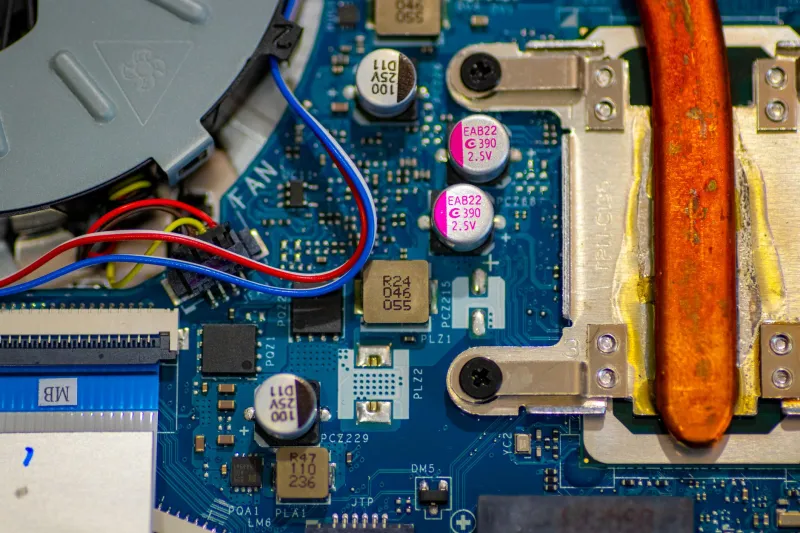
The trend toward thinner, lighter consumer devices has introduced a meaningful tension between industrial design and thermal performance. A slim ultrabook or a flagship smartphone leaves very little physical space for heat dissipation infrastructure. Copper heat pipes, vapor chambers, and cooling fans — the tools that help workstation-class hardware breathe — are either miniaturized or eliminated entirely in the pursuit of portability.
The result is that devices designed primarily around aesthetics and form factor often throttle earlier and more severely than their thicker, less fashionable counterparts. A compact gaming laptop running a high-performance processor in a chassis with limited airflow will frequently hit its thermal ceiling within minutes of a sustained workload, whereas a larger desktop system with robust cooling might run at full speed for hours without triggering a single throttle event.
This is a deliberate engineering trade-off, and one that manufacturers rarely highlight in their marketing materials. Consumers purchasing premium thin-and-light devices should understand that sustained peak performance may be structurally limited by the chassis design itself — independent of the processor's rated specifications.
Distinguishing Normal Thermal Management from a Hardware Problem
Not all throttling is created equal, and learning to distinguish expected behavior from genuine degradation is a practical skill worth developing.
Occasional, brief throttling during unusually intensive tasks — exporting a large video file, running a complex simulation, or playing a graphically demanding game on a warm afternoon — falls within the range of normal thermal management. The device slows, temperatures stabilize, and performance recovers when the workload eases. This cycle is functioning as intended.
Persistent, aggressive throttling during routine tasks — web browsing, document editing, streaming video — is a different signal entirely. If a device that once handled everyday workloads without issue now throttles consistently under light use, several underlying causes deserve investigation. Thermal paste between the processor and its heat sink degrades over time and loses its ability to transfer heat efficiently. Dust accumulation inside vents and on cooling fins acts as insulation, trapping heat that should be expelled. In portable devices, battery swelling can physically obstruct airflow pathways. Any of these conditions can cause a device to throttle far more frequently than its design requires.
Practical Steps to Minimize Unwanted Throttling
Addressing thermal throttling does not require advanced technical expertise, and several effective strategies fall well within the reach of most consumers.
Optimize your operating environment. Ambient temperature directly influences how hard your cooling system must work. Using a laptop on a soft surface such as a bed or couch can block intake vents, raising internal temperatures significantly. A hard, flat surface — or a dedicated laptop stand with elevated airflow — keeps intake pathways clear and meaningfully reduces the frequency and severity of throttle events.
Keep ventilation pathways clean. For desktop computers and laptops with accessible vents, periodic cleaning with compressed air removes accumulated dust from fans and heat sinks. For many users, doing this once or twice a year produces a noticeable improvement in sustained performance. Most manufacturers consider this basic maintenance and it does not affect warranty coverage.
Review power and performance settings. Both Windows and macOS include built-in power management profiles that influence how aggressively a processor pursues peak clock speeds. A balanced or efficiency-oriented power plan generates less heat than a high-performance profile and can reduce unnecessary throttling without significantly impacting everyday tasks. For users who only need peak performance occasionally, switching profiles contextually is a straightforward optimization.
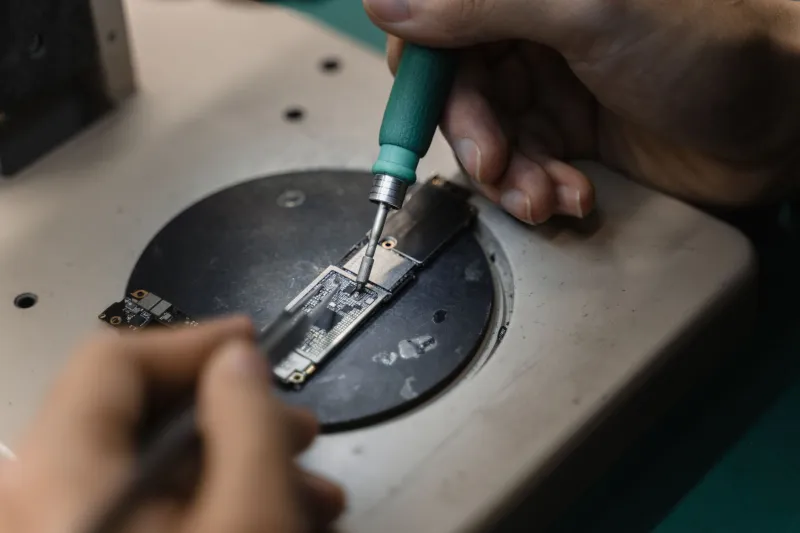
Consider professional thermal paste replacement. On laptops and desktops that are several years old, a qualified technician can replace degraded thermal paste between the processor and heat sink. This service — available at many independent repair shops and manufacturer service centers across the United States — can restore heat transfer efficiency close to factory levels. Whether this falls within warranty terms depends on the manufacturer and device, so it is worth confirming before proceeding.
Use manufacturer diagnostic tools. Most major device manufacturers provide utilities that report real-time processor temperatures and clock speeds. Intel's Extreme Tuning Utility, AMD's Ryzen Master, and Apple's built-in Activity Monitor can all surface useful data. Observing whether a device throttles during specific tasks — and at what temperature threshold — helps pinpoint whether the issue is environmental, maintenance-related, or indicative of a deeper hardware concern.
The Long-Term Relationship Between Heat and Hardware Health
Thermal throttling is ultimately a protective mechanism, and one that serves the consumer's long-term interests even when it creates short-term frustration. A processor that never throttled — that simply ran at full speed until it overheated — would degrade rapidly and fail prematurely. The throttle exists to extend the useful life of hardware that represents a significant financial investment for most American households.
That said, a device that throttles excessively due to neglected maintenance or poor environmental conditions is not performing optimally and is providing less value than it should. The distinction matters. Accepting all throttling as inevitable leaves performance and longevity on the table. Understanding the mechanism, maintaining the hardware, and using devices in conditions that support proper cooling turns thermal management from an invisible frustration into a manageable variable.
Your processor is not working against you when it slows down. It is working to ensure it can keep working for you — the question is whether you are giving it the conditions it needs to do that effectively.